Skip to content
  • There are no suggestions because the search field is empty.

Use Original Document in Bundle

The Use Original Document in Bundle setting preserves the original formatting, size, and orientation of a document when included in a bundle. This is especially useful for: 1. Landscape-oriented pages, such as maps or charts 2. Legal-sized documents that shouldn’t be scaled to A4 3. Documents with complex formatting that don’t convert well

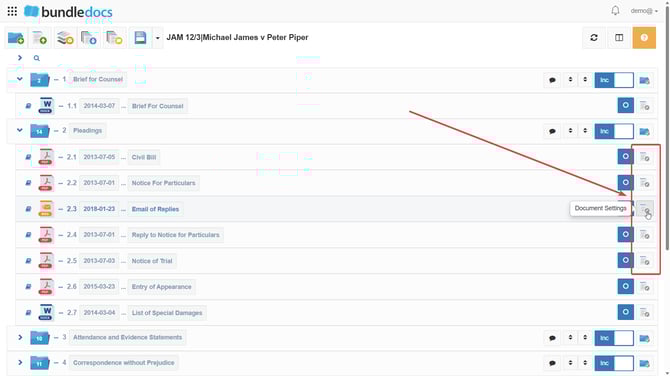
  1. Go to Document Settings, which is the white icon to the very right of each document.
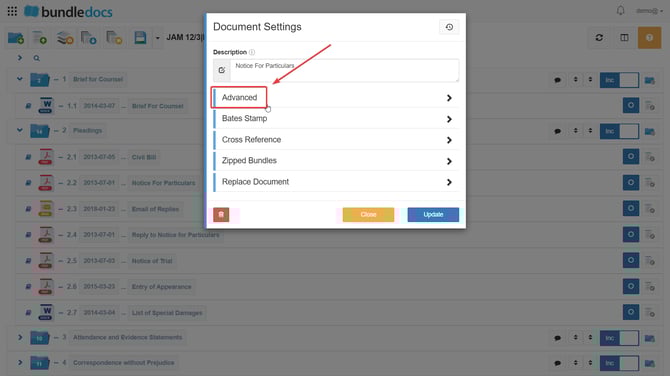
  2. Click Advanced.

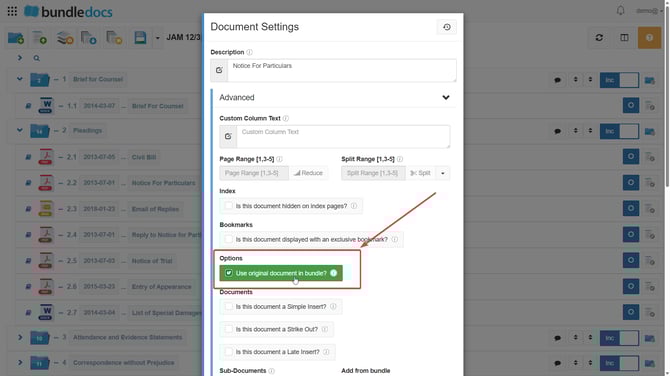
  3. Tick Use Original Document in Bundle.

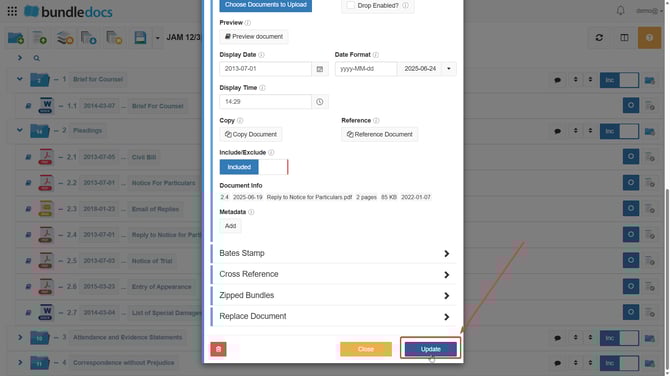
  4. Select Update.


    NOTE: This setting should not be used as standard. It’s intended for exceptions, such as when a document fails to convert properly.