NOTE: Please note that is not included by default. A separate paid license is required to activate this functionality.
If you're interested in enabling the Text Editing Module or would like more information, simply email our support team at support@bundledocs.com. We’ll be happy to assist you with setup and licensing options.
Key Features of the text editing module.
- Edit text directly within your document bundle.
- Make quick corrections or updates without re-uploading files.
- Streamline your workflow and reduce reliance on external editing tools.
The Text Editing Module can be activated within your firm's Organisation.
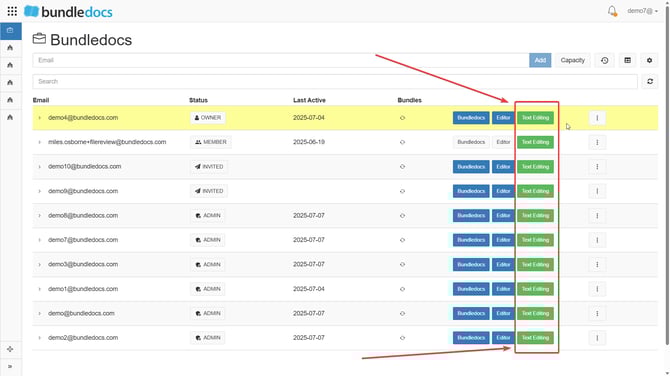
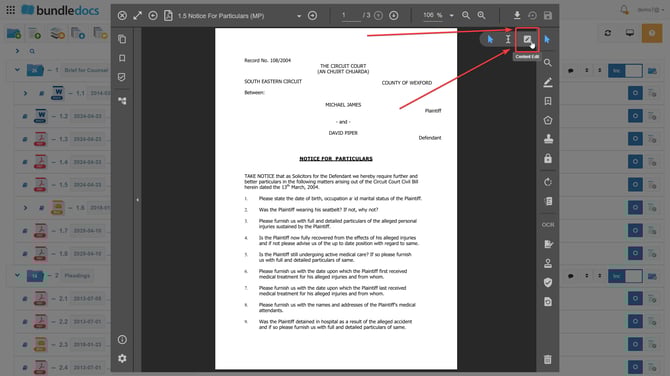
Once activated you can edit the existing contents/ text by selecting the  Content Edit option in the document previewer.
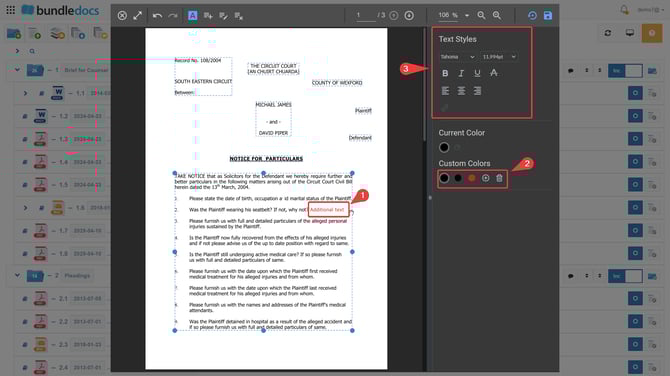
Once in the contents editing workspace you can edit existing text by double clicking it. You can also add additional text as per step one below. You can also change the text style and colour as per steps 2 and 3 below.
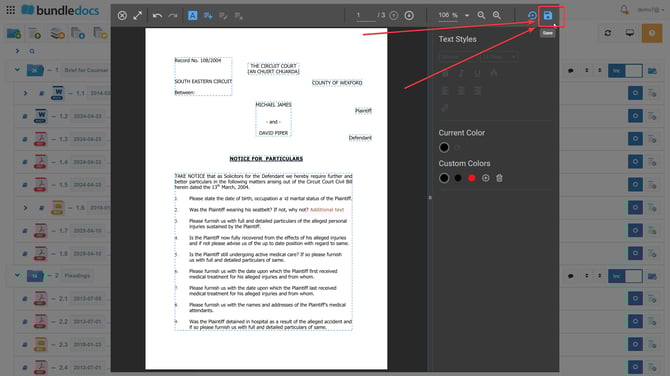
Once you are happy with your edit, please remember to select the save option so your changes/ edits to the text are saved.