
1. Click  Download & Distribute Bundle > Secure.
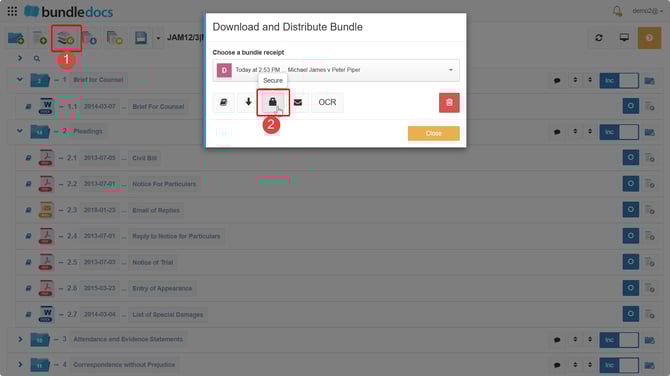
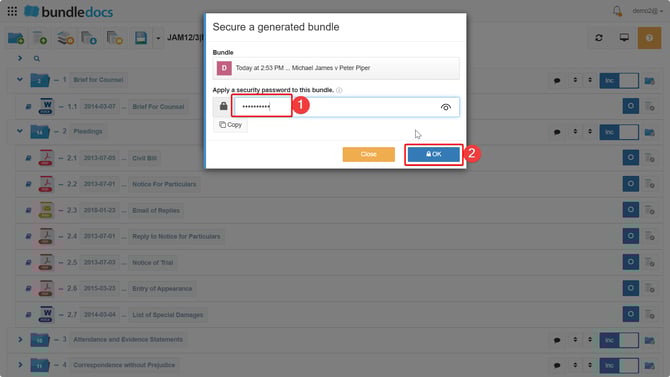
2. This will prompt a space to assign a password for the bundle.
NOTE: Bundledocs will not keep a record of this password, so make sure you make a note or copy this password before applying it.

3. Once you add in the password click OK to confirm.
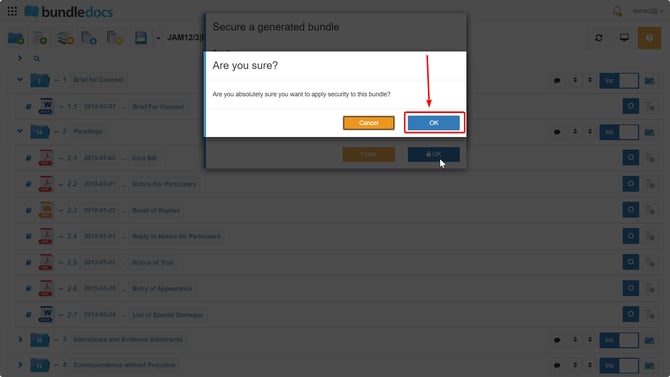
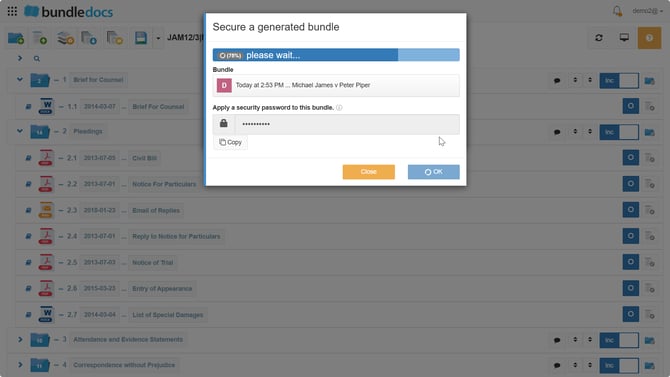
4. Your password will be applied here, and you will be able to see the progress with a percentage bar at the top. Once this reaches 100% the password will be fully applied to secure your bundle.
5. Once assigned, this password will be required to access the PDF bundle when downloaded directly from your account or when forwarding a download link. The password protection will disable the option to OCR, secure and preview the bundle. You will also be able to download and forward the bundle, with the password protection applied.
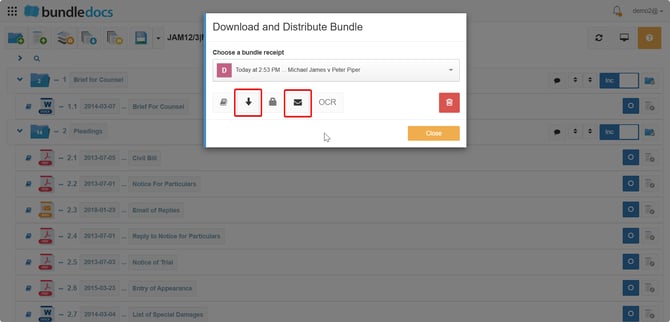
NOTE: If you wish to remove this password protection from the bundle, you simply need to Generate the bundle again. This will produce a new bundle receipt without the secure protection applied.