
You can also optimize your documents on a per document basis within the  document previewer.
1. Firstly please access the document previewer.

2. Click on the option document properties.
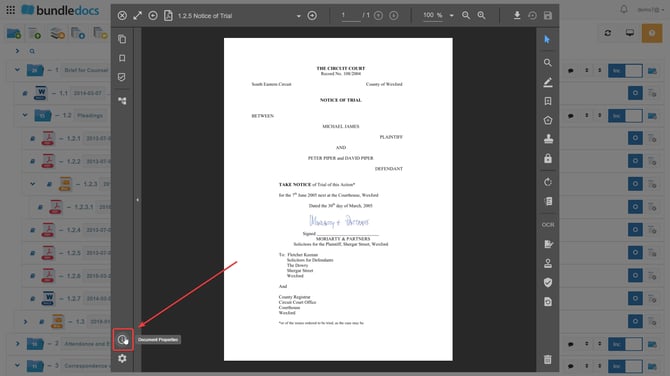
3. Click on the option Optimize.
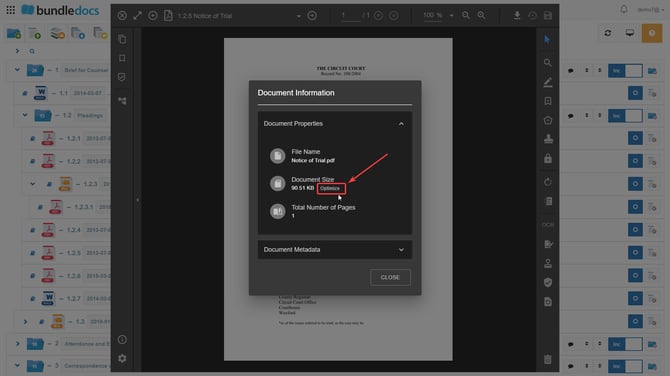
4. From here you can choose the level of Content optimization target from the slider than appears in the pop up. Once you are happy with the level you have chosen please confirm your action by pressing optimize.

Once the above steps are completed your document will being to be optimized.