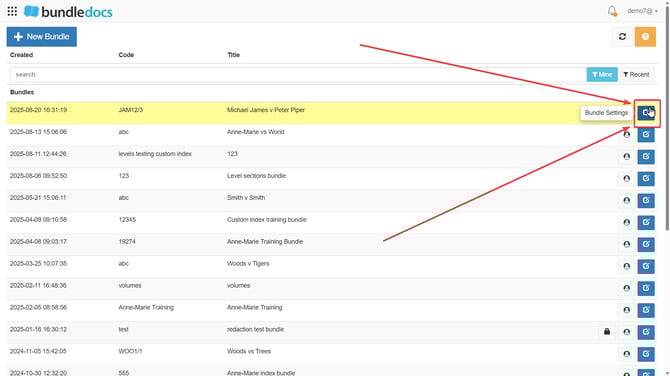
To follow a bundle follow these steps:
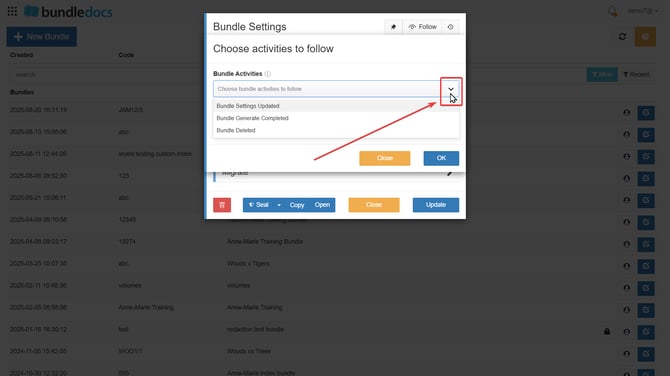
 Bundle settings pop up. Choose from the two dropdowns which notifications you would like to receive for the bundle. Bundle settings pop up. Choose from the two dropdowns which notifications you would like to receive for the bundle.From the Bundle Activities dropdown, choose which bundle-related actions you’d like to be notified about. You can opt to receive notifications for:
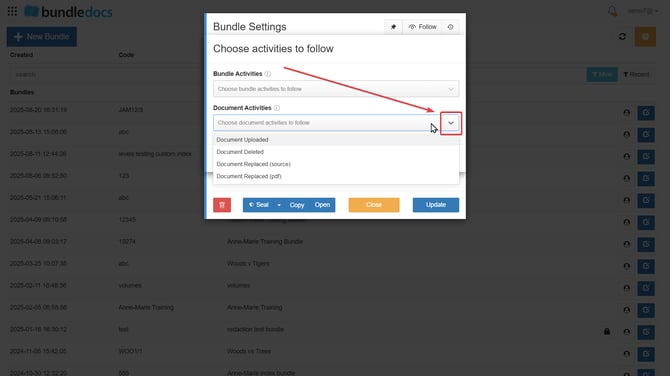
 From the Document Activities dropdown, choose which document-related actions you’d like to be notified about. You can select notifications for:
 3.Once you have selected the desired option(s) please confirm this action by selecting OK.
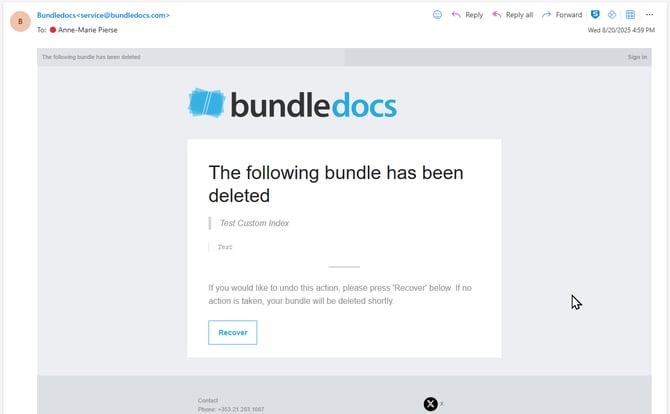
 4. Now as changes are made to the bundle you will receive an email alerting you regarding the selected changes to the specific bundle.
|
 Bundle Settings of the bundle you wish to follow.